
What to Bring to Your Computer Repair Appointment in Lincoln
If your computer will not start, has slowed down, or is covered in warning pop-ups, the next step is to schedule a repair appointment and then bring the machine to our shop. The Computer Magician has been serving customers since 1995 at 1125 N 10th Street, Lincoln, NE 68508. We are by appointment only. Book an appointment, or call 402-436-2434 and a technician will answer.
A little preparation makes that appointment go more smoothly: a short note about what is wrong, how to reach you, whether your files are backed up, and the parts we need to test the machine. This is not a promise about how quickly a repair will finish.
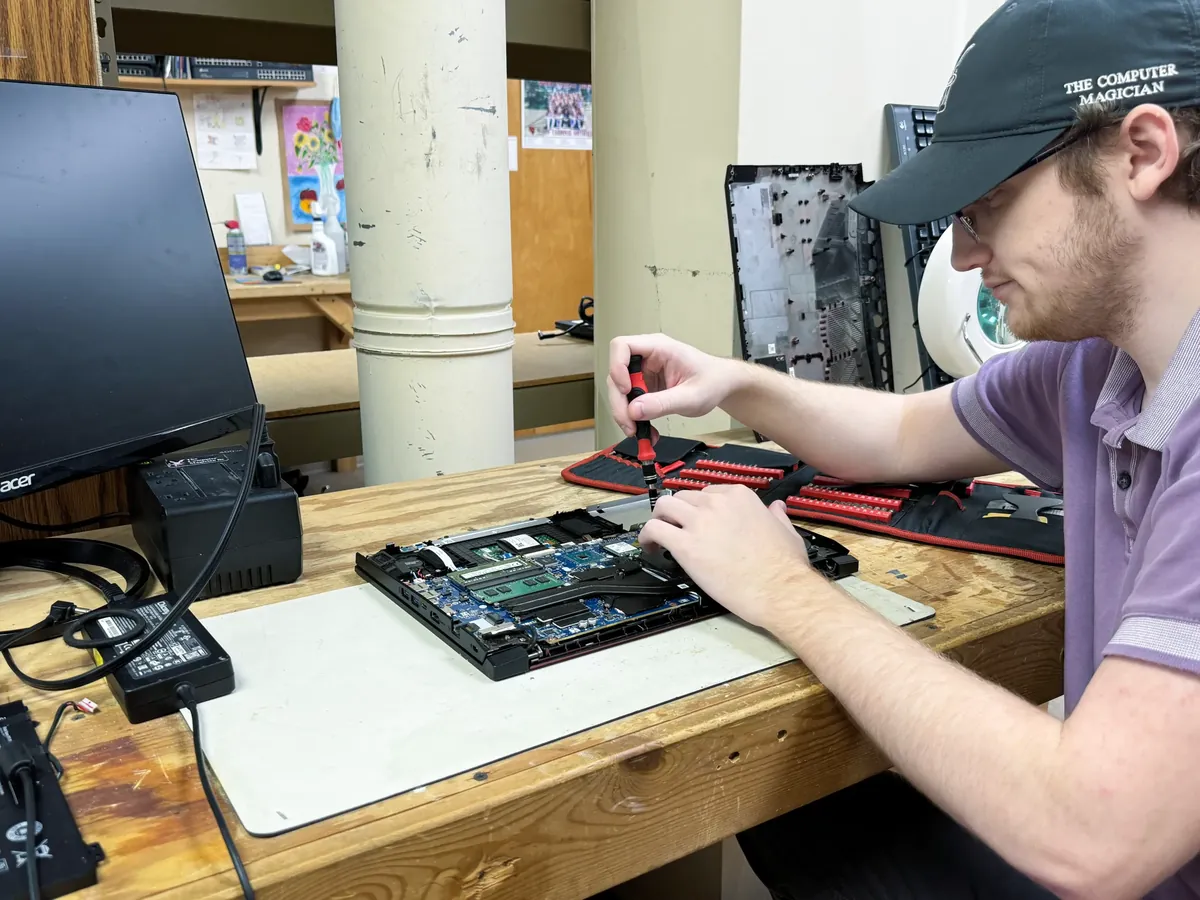
Write down what is going wrong
A short note is more useful than “it just doesn’t work.” A few sentences on paper or in a phone note are enough. Include:
- What the computer does, or fails to do, in plain words: it will not turn on, the screen is black, it freezes, or a message says you have a virus.
- When you first noticed it, and whether it happened suddenly or got worse over time.
- The wording of any error message, or a photo of the screen.
- Anything that changed just before the problem started: a spill, a drop, a new program, an update, a power outage, or a warning that the disk was full.
- What you already tried, such as a restart, a different charger, or a virus scan.
If someone else uses the computer more than you do, ask them to add a line.

Bring the power gear we will need to test it
For a laptop, bring the charger that belongs to it. Many problems look like a dead battery or a bad machine when the charger is what failed, and we cannot fully test charging without it. If you have a spare charger that you know works, bring that too.
For a desktop, bring the power cord and the computer itself. You do not need to bring the monitor, keyboard, and mouse for most shop repairs, unless the problem is with one of those devices or you are not sure which part is failing.
If you use an external drive, a dock, or a display adapter and the problem involves that device, bring it.

Tell us about your files and backups
Before any major work, we talk with you about your backups. The useful question is simple: if this computer never turned on again, would your photos, documents, and business files still exist somewhere else?
If you have a backup on an external drive, in a cloud account, or on another computer, say so. If you do not, say that too. It changes how carefully we treat the storage drive and whether data recovery needs to be discussed before a repair proceeds. We will not assume we can copy files off a failed drive, and we will not pretend every situation is recoverable.
If the computer still starts and you have time before your appointment, copy important folders. If it will not start, do not keep forcing it to boot.
Be reachable about accounts and passwords
Some repairs need you to sign in or approve an update. You do not have to leave a written list of passwords. Be available by phone during shop hours so a technician can reach you. If someone is bringing the computer in for a parent or coworker, write down the best callback number and the name of the person who uses the machine.
If the problem involves email, banking, or a work login, mention which accounts matter most. Do not write bank passwords on a sticky note.
How a scheduled shop appointment works
Hours for scheduled appointments and phone calls are Monday through Thursday, 9:00 AM to 5:00 PM, and Friday, 9:00 AM to 4:00 PM, closed Saturday and Sunday. A late Friday appointment means the computer may stay here over the weekend.
Please book an appointment first, or call 402-436-2434. To ask about same-day service, mention that when you book or call. It depends on the problem and the work already in the queue, so we will not promise it here. We will tell you what is realistic once we know what is wrong.
When you arrive, a technician will go over the symptoms and confirm how we can reach you. After diagnosis, we explain the problem in plain language and wait for your go-ahead before any major work. You can read the same process on our computer repair page.
Coming from a nearby town
The shop is in Lincoln, and customers also schedule appointments from nearby communities, including Waverly, Seward, Crete, Ashland, Wahoo, York, and Beatrice. If you are driving in, book a time so you are not on the road after we have closed. If the computer is awkward to pack, ask about on-site computer repair when you schedule.
Repair prices depend on the problem. Call us for a quote after we have diagnosed it.
After you leave the computer with us
Leave with a clear idea of how we will contact you, and keep your phone available. When the work is finished, we will let you know it is ready for pickup. If you want a sense of how customers describe that experience, read our customer reviews.
Repair work for a single computer is only part of what we do. Managed IT services are our main work for businesses that need ongoing monitoring, a help desk, and a technician who answers. You can read about managed IT services on our main site, or see managed IT for Lincoln businesses.
The Computer Magician also supports local businesses in our community, including Fireplace Center Inc., Window Option Specialists, and Service Pro Painting.
Book an appointment, or call 402-436-2434.
Frequently asked questions
Do I need an appointment to bring a computer in for repair in Lincoln?
Yes. We are by appointment only. Book at https://scheduling.thecomputermagician.com/ or call 402-436-2434, then bring the computer to 1125 N 10th Street, Lincoln, NE 68508. Hours are Monday through Thursday 9:00 AM to 5:00 PM and Friday 9:00 AM to 4:00 PM, closed Saturday and Sunday.
What should I bring with a laptop?
Bring the laptop and the charger that belongs to it, plus a short note about the symptoms, when they started, and the best number to reach you. Tell us whether your files are backed up.
Can I schedule an appointment if I live outside Lincoln?
Yes. Customers from nearby towns, including Waverly, Seward, Crete, Ashland, Wahoo, York, and Beatrice, can book an appointment at our Lincoln shop. Book online or call ahead if you are making a longer drive.
Do I have to leave my passwords?
No. You can stay available by phone during shop hours instead. If a login is required, a technician can call you. Do not leave bank passwords on a sticky note.
How much does a repair cost?
It depends on the problem. Call 402-436-2434 for a quote after we have diagnosed the computer.
